

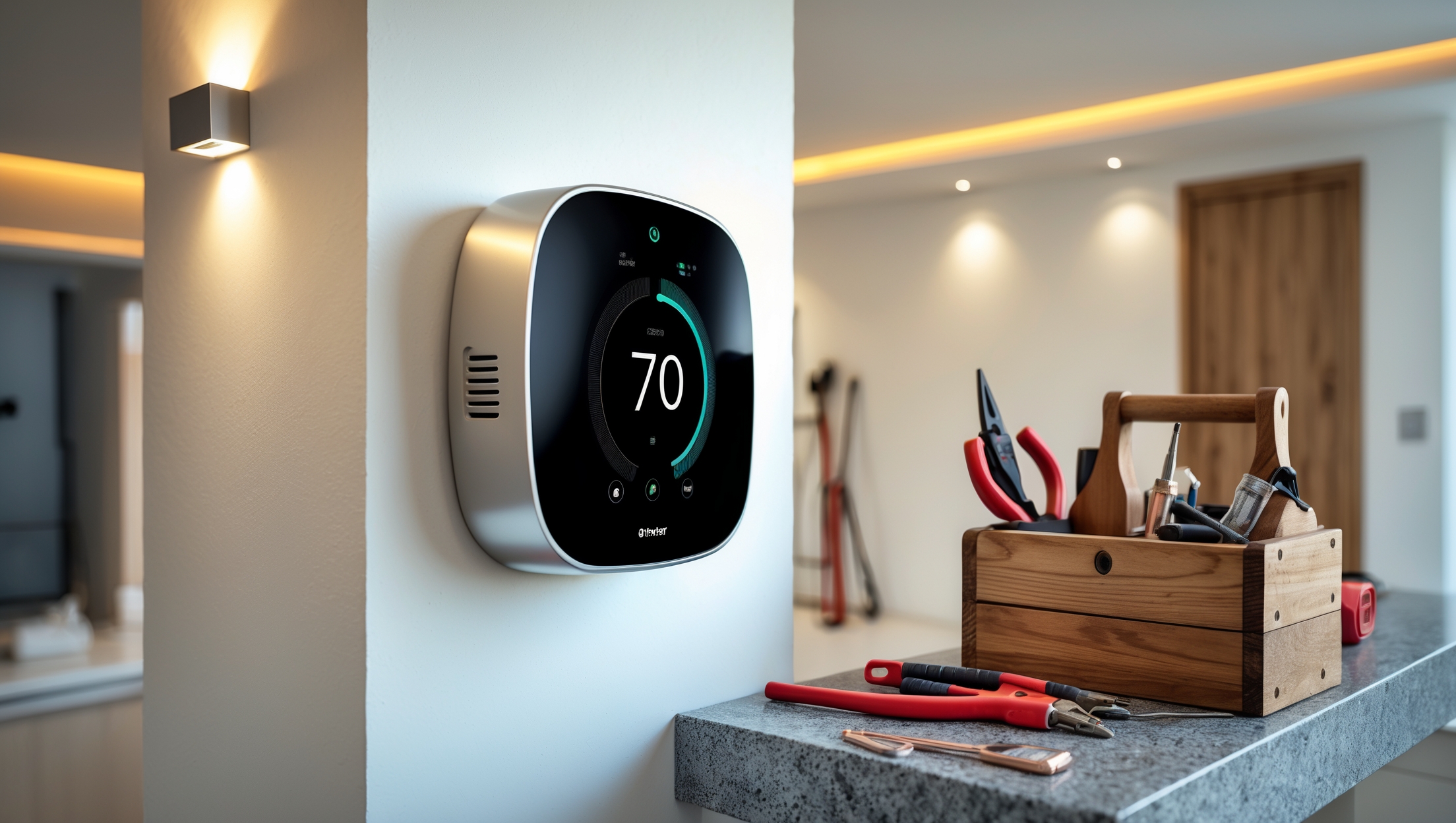
Introduction: Why Smart Thermostats Are a Smart Move—If Installed Correctly
Smart thermostats have become a cornerstone of energy-efficient home upgrades, promising lower utility bills, seamless control, and integration with other smart devices. However, many homeowners encounter unexpected hurdles when installing smart thermostats, leading to costly mistakes, non-compliance with electrical codes, or less-than-optimal system performance. While the installation process might look straightforward, it involves a nuanced understanding of wiring, system compatibility, and even local permit requirements. This comprehensive guide will walk you through the most common mistakes in smart thermostat installation, explain how to ensure compliance with local regulations, and offer detailed wiring and setup tips to make your upgrade a true improvement—not a headache. Whether you’re a DIY enthusiast or a first-timer, you’ll learn how to avoid pitfalls and achieve a safe, efficient, and code-compliant thermostat installation.
Understanding Your Home’s HVAC System and Thermostat Compatibility
Why Compatibility Matters
Before even purchasing a smart thermostat, it’s crucial to determine if your home’s HVAC system is compatible. Not all systems are created equal, and many older setups or unique configurations present challenges that can render popular smart thermostats ineffective or, worse, cause damage to your HVAC equipment.
- Low-voltage (24V) Systems: Most smart thermostats are designed for these standard systems. Check your existing thermostat wiring for thin, multi-colored wires.
- Line-voltage Systems: Common in baseboard heating, these use thicker wires and are typically incompatible with most smart thermostats.
- Multi-stage or Zoned Systems: Advanced systems may require a specific model or additional accessories for proper integration.
How to Check Compatibility
- Remove your current thermostat faceplate and inspect the wiring. Look for a label or manual indicating system type.
- Consult your HVAC system manual or manufacturer’s website for compatibility lists.
- Use online compatibility checkers offered by leading thermostat brands.
Top Compliance Pitfalls and How to Avoid Them
Do You Need a Permit?
While replacing a thermostat often doesn’t require a permit, some localities have regulations—especially if you’re making wiring changes or integrating with newer HVAC systems. Always check with your local building department before starting.
- Electrical Code Basics: Thermostat wiring must comply with the National Electrical Code (NEC) and local amendments. Improper connections or exposed wires can result in code violations or even insurance issues down the line.
- Inspection Triggers: If your installation is part of a larger renovation or HVAC system replacement, expect an inspection.
Proper Documentation
- Keep records of your installation, including manuals, wiring diagrams, and any communications with your local permitting office.
- Label wires clearly and take photos before removing the old thermostat to simplify any future inspections or upgrades.
Critical Wiring Mistakes: Identification and Correction
Common Wiring Errors
- Misidentifying Wires: Homeowners often confuse common (C) wires with others. Connecting the wrong wire can short your system or prevent the thermostat from powering up.
- Forgetting the C-Wire: Many smart thermostats require a C-wire for continuous power. If your system lacks one, you’ll need to add a C-wire adapter or run a new wire from the HVAC control board.
- Loose Connections: Insecure wire connections can cause intermittent operation or total failure. Always use the correct terminal screws and double-check for snug contact.
Step-by-Step Wiring Best Practices
- Turn off power to your HVAC system at the breaker box before beginning.
- Take a clear photo of the current wiring and label each wire according to its terminal.
- Use a voltage tester to confirm power is off.
- Connect each wire to the corresponding terminal on the smart thermostat base, following the manufacturer’s wiring diagram.
- If you lack a C-wire, consider using the manufacturer’s adapter kit or consult a licensed electrician for safe installation.
- Secure all wiring and ensure no copper is exposed outside the terminals.
Choosing and Using the Right Tools for Smart Thermostat Installation
Essential Tools List
- Small flathead and Phillips screwdrivers
- Wire stripper/cutter
- Voltage tester or multimeter
- Drill (for mounting new baseplates)
- Level (to ensure straight installation)
- Labeling stickers or masking tape
Tool Tips for a Cleaner Installation
- Use a level when installing the thermostat baseplate to avoid crooked mounting, which can affect the device’s sensors.
- Strip only as much insulation as needed—usually about 1/4 inch—to avoid exposed copper that could cause shorts.
- Secure wires with terminal screws firmly, but avoid overtightening, which can break wires or damage terminals.
Step-by-Step Smart Thermostat Setup for Optimal Performance
1. Power Off and Prep
Begin by switching off HVAC system power at the breaker. Remove the old thermostat, keeping wires separated and labeled. Clean the wall area and patch any holes for a neat final appearance.
2. Mount the Thermostat Base
- Use the manufacturer’s template to mark screw holes.
- Drill pilot holes if necessary and use supplied anchors for secure mounting.
- Pull wires through the base and secure the baseplate to the wall.
3. Connect Wiring
- Match each labeled wire to the correct terminal (e.g., R, W, Y, G, C).
- If your system is heat pump or multi-stage, follow the advanced wiring guide provided by your thermostat’s manufacturer.
4. Attach Thermostat Face and Restore Power
- Snap the thermostat face onto the base.
- Restore power at the breaker box.
- Follow the on-screen setup instructions to configure Wi-Fi and preferences.
5. System Test and Calibration
- Run a system test through the thermostat menu to ensure heating, cooling, and fan functions operate correctly.
- Calibrate temperature readings if necessary, using the app or device menu.
Integration Mistakes: Avoiding Automation Headaches
Wi-Fi and App Setup
- Position your thermostat within strong Wi-Fi range. Weak signals can disconnect your device or disrupt schedules.
- Use manufacturer apps for initial setup, firmware updates, and troubleshooting.
Home Automation Platforms
- Verify compatibility with your existing smart home ecosystem (e.g., Alexa, Google Home, Apple HomeKit).
- Enable security settings such as two-factor authentication to protect your home network and device controls.
Insurance and Warranty Considerations
Why Proper Installation Affects Coverage
Improper wiring or non-compliant installation can void manufacturer warranties and, in rare cases, affect homeowners insurance claims if an electrical issue causes damage. Always follow the manufacturer’s instructions and local codes.
Documenting Your Installation
- Keep receipts and detailed notes of the installation process.
- Register your smart thermostat with the manufacturer for warranty protection.
Seasonal Maintenance and Troubleshooting Tips
Updating Firmware
Check for firmware updates at least twice a year to ensure your thermostat has the latest features and security patches.
Cleaning and Inspection
- Dust the thermostat exterior regularly with a microfiber cloth.
- Check for loose wires or corrosion annually, especially after HVAC maintenance.
Common Issues and Quick Fixes
- If the thermostat loses Wi-Fi, reboot your router and check for software updates.
- If HVAC cycles are erratic, re-check wiring and recalibrate the unit.
- For persistent issues, consult professional support or a licensed HVAC technician.
Real-World Case Studies: Lessons Learned
Case Study 1: The Missing C-Wire
One homeowner attempted a DIY installation only to find their new smart thermostat wouldn’t power on. The culprit: a missing C-wire. They resolved the issue by installing a C-wire adapter kit—a straightforward fix, but only after hours of frustration. Lesson: Identify wiring before purchase and installation.
Case Study 2: Integration Gone Wrong
Another user installed a smart thermostat without checking compatibility with their heat pump system. Erratic heating and cooling cycles resulted, requiring a professional to rewire the setup and update the thermostat firmware. Lesson: Double-check system compatibility and follow advanced wiring guides for multi-stage systems.
Conclusion: Smart Installation for Maximum Savings and Comfort
Installing a smart thermostat can be a transformative upgrade for your home, offering energy savings, improved comfort, and seamless automation. However, success hinges on careful planning and attention to detail. As this guide has demonstrated, the most common mistakes—ranging from misidentified wires and overlooked compatibility to compliance oversights and poor integration—are easily avoidable with a disciplined approach. By understanding your HVAC system, following local codes, using the right tools, and documenting your installation, you’ll not only avoid headaches and wasted time but also protect your investment in both your thermostat and your home’s comfort.
Remember, DIY doesn’t mean cutting corners. Take the time to verify wiring, double-check compatibility, and consult professionals when in doubt. Register your device, keep installation records, and perform regular maintenance to ensure your smart thermostat delivers on its promise of efficiency and convenience. When installed correctly, a smart thermostat is more than just a gadget—it’s a gateway to a smarter, safer, and more comfortable home.
You mention that some advanced HVAC systems might need extra accessories for a smart thermostat to work properly. Could you give some examples of what those accessories are, and how I would know if my system requires them?
Some advanced HVAC systems, like those with variable-speed fans or dual fuel setups, might need accessories such as a C-wire adapter (to provide constant power) or relay modules to handle extra stages of heating or cooling. You’ll usually find out if you need these by checking your current thermostat wiring—if you’re missing a C-wire or see unfamiliar labels, it’s a sign. Also, your smart thermostat’s installation guide or manufacturer’s website can help you identify any special requirements for your specific system.
The article mentions that line-voltage systems are usually incompatible with most smart thermostats. Is there any workaround or special model that can support these types of systems, or is it better to consider other solutions entirely?
Most mainstream smart thermostats are designed for low-voltage systems and won’t work with line-voltage heating. However, there are a few smart thermostats specifically made for line-voltage systems, such as those used with electric baseboards or radiant heaters. You might want to look for models labeled as ‘line-voltage smart thermostats.’ If you can’t find a suitable smart thermostat, another option is to use smart plugs or switches rated for high voltage, but always make sure they’re compatible and safe for your setup.
If my HVAC system turns out to be incompatible with most smart thermostats, is there a workaround or affordable upgrade path to make it compatible, or should I consider sticking with a traditional thermostat instead?
If your HVAC system isn’t compatible with most smart thermostats, there are a couple of options. Sometimes, you can add a compatibility adapter or a C-wire power kit to bridge the gap, which is usually more affordable than replacing the HVAC system. If your system is very old or uses line voltage, upgrading key components might be needed, but this can get costly. If those options aren’t practical, sticking with a reliable traditional thermostat may be best until you’re ready for a bigger upgrade.
The article talks about local permit requirements for installing smart thermostats. How do I find out if my area requires a permit, and what are the potential consequences if I skip this step during installation?
To find out if your area requires a permit for smart thermostat installation, contact your local building or permitting office. You can usually check their website or call them directly. If you skip getting a required permit, you might face fines, have trouble with future home sales, or encounter issues with insurance claims related to electrical work.
Does installing a smart thermostat typically require a permit everywhere in the US, or does that vary by local regulations? If I skip the permitting process, could it impact my home insurance or resale value?
Permit requirements for installing smart thermostats vary by local regulations. Some areas may require a permit, especially if electrical work is involved, while others do not. Skipping permits where they’re needed could affect your home insurance—claims related to unpermitted work might be denied. It could also complicate resale, as some buyers or inspectors check for proper permits during the sales process.
I noticed you mentioned the importance of checking for low-voltage versus line-voltage systems before buying a smart thermostat. Is there a safe way for a homeowner to double-check the voltage themselves, or should this step always be left to an electrician?
Homeowners can usually check their thermostat voltage by carefully removing the cover and looking at the wiring. Low-voltage systems use thin wires (often 18-gauge) connected to terminals labeled with letters like R, W, Y, or G. Line-voltage systems use thicker wires, typically connected with wire nuts and may be labeled with higher voltage ratings. If you’re unsure or see thick wires or high-voltage warnings, it’s safest to consult an electrician to avoid any risk.
When checking compatibility, the guide says to look for thin, multi-colored wires versus thick ones to tell the difference between low-voltage and line-voltage systems. Are there any exceptions to this rule, or could some homes have a mix of both types of wiring?
Yes, while most homes follow the pattern described—thin, multi-colored wires for low-voltage and thick wires for line-voltage—there can be exceptions. Some older homes or those with additions might have both types in different zones. It’s best to check the labels on your thermostat base or your HVAC control board, and consult your system’s manual if you’re unsure.
The article mentions needing to check if you have a low-voltage or line-voltage system before buying a smart thermostat. If my old thermostat doesn’t have clear labels or manuals, what’s the safest way to figure out which type I have?
If labels or manuals aren’t available, turn off power to your thermostat first for safety. Carefully remove the thermostat cover and look at the wires. Low-voltage systems usually have thin wires (often 18-gauge) in multiple colors, while line-voltage systems use thick, heavy wires, typically black and red, similar to what you’d find in outlets. If you’re unsure, consider taking a photo and consulting a licensed electrician to confirm.
You mention that some smart thermostats need additional accessories for multi-stage or zoned systems. How do I know if my setup actually requires those, and are they usually included with the thermostat or sold separately?
To find out if your system needs extra accessories, check whether your current HVAC setup has multi-stage heating/cooling or zoning (multiple thermostats or dedicated zones). Your system manual or thermostat wiring labels (like W2, Y2, or zone numbers) can help identify this. Most smart thermostats don’t include these accessories and sell them separately, so it’s a good idea to confirm your needs before purchasing.
When checking my existing thermostat wiring for compatibility, what are some specific warning signs that a DIY installation might be risky or beyond the average homeowner’s skill level? For example, what should I do if I find unfamiliar wire colors or extra terminals?
If you notice unfamiliar wire colors, loose or frayed wires, or extra terminals that aren’t clearly labeled, it’s a sign that your system might not follow standard wiring conventions. This can make DIY installation riskier. Also, if there are more wires than common setups (such as more than five or six), or if you see thick wires that look different from typical thermostat wires, it might be best to consult a professional. In these cases, taking a photo of your wiring before doing anything and seeking expert advice is a smart move.
You mention local permit requirements when installing a smart thermostat. How do I find out if my town actually requires one for this type of work, and is it usually a complicated process for homeowners to handle themselves?
To find out if your town requires a permit for smart thermostat installation, contact your local building or permitting office—this is often part of your city or county government. Many places don’t require permits for low-voltage work, but it varies. If a permit is needed, the process is usually straightforward for homeowners: filling out a short form and possibly paying a small fee. Staff can guide you if you’re unsure about any step.
If my house uses a multi-stage HVAC system, do smart thermostats generally require extra accessories or professional installation to function properly? Wondering if that could affect the overall cost and complexity of the upgrade.
With a multi-stage HVAC system, smart thermostats often need extra wiring or accessories, such as an additional relay or a common wire (C-wire) adapter, to work correctly. Installation can be a bit more complex than with single-stage systems, so professional installation is commonly recommended. This can add to both the upfront cost and the time it takes to complete the upgrade.
You mention possible permit requirements for installing smart thermostats. How do I find out if my local area requires a permit, or if there are any specific codes or inspections I should be aware of before starting the installation?
To find out if you need a permit or have to follow specific codes for installing a smart thermostat, contact your local building or electrical inspection office. You can also check your city or county government’s website for information on residential electrical work. If you’re part of a homeowners association, ask them as well. This way, you’ll be sure to comply with all local rules before you start the installation.
I’m a bit confused about the wiring check you mentioned. If I see both thick and thin wires behind my old thermostat, does that mean my system is a mix of low- and line-voltage? How do I figure out which type of smart thermostat to get?
When you see both thick and thin wires, it’s possible your system combines both line-voltage (usually thick wires, often for electric baseboard heaters) and low-voltage (thin wires, common with most HVAC systems). Smart thermostats are typically designed for low-voltage systems. To be sure, check if the wiring connects to a control board (low-voltage) or directly carries 120/240V power (line-voltage). If you’re unsure, consulting a professional electrician or HVAC technician is the safest way to identify your system and choose the right thermostat.
Could you clarify how to tell the difference between low-voltage and line-voltage wiring just by looking at my current thermostat setup? The article mentions wire thickness and colors, but I’m not sure what specific signs to look for before buying a smart thermostat.
To distinguish low-voltage from line-voltage wiring, check the wires behind your thermostat. Low-voltage wires are usually thin (like doorbell wire), often in bundles with multiple colors such as red, green, yellow, and white. Line-voltage wires are much thicker, like typical house power wires, and are often black and white, sometimes housed in a larger cable or conduit. Also, low-voltage systems typically use screw terminals labeled with letters (R, W, Y, G), while line-voltage setups use wire nuts. This should help you identify your system before purchasing.
You discuss checking for compatibility by looking at the current thermostat’s wiring, but how can a homeowner determine if their wiring supports advanced features like remote sensors or geofencing before buying a smart thermostat?
To determine if your wiring supports advanced features like remote sensors or geofencing, first check the compatibility requirements listed by the smart thermostat manufacturer. Remote sensors often require additional wires or specific terminals (like ‘S’, ‘S1’, or ‘S2’), while geofencing uses your home’s Wi-Fi and doesn’t usually depend on wiring. If your wiring lacks these specific terminals, you may need to consult an electrician or consider thermostats that support wireless sensor connections.
When checking HVAC compatibility, is there a way to identify whether I have a low-voltage or line-voltage system without removing the thermostat faceplate, especially for someone uncomfortable with electrical work?
You can often identify your system type without removing the thermostat. Look at your existing thermostat: if it’s controlling heating and cooling with thin, multiple wires (often from a bundle), it’s likely a low-voltage system. If the thermostat is connected with thick wires, similar to those in power outlets, or it’s labeled for 120V or 240V, you likely have a line-voltage system. If you’re still unsure, checking your HVAC unit’s manual or contacting a professional is a safe option.
If my current thermostat has really thick wires and it’s connected to baseboard heating, is there any workaround or adapter that lets me use a smart thermostat, or am I out of luck with line-voltage systems?
If your thermostat uses thick wires and is connected to baseboard heating, it’s likely a line-voltage system. Most popular smart thermostats are designed for low-voltage systems, so they’re not directly compatible. However, there are smart thermostats made specifically for line-voltage setups. You can’t use a simple adapter—look for smart thermostats that explicitly support line-voltage or consult an electrician to explore your options safely.
I’m concerned about damaging my HVAC system since mine is pretty old. When inspecting the wiring like you suggested, are there signs that mean I definitely shouldn’t install a smart thermostat myself?
If your HVAC system is old, there are a few clear warning signs to look for before installing a smart thermostat yourself. If the wiring looks brittle, frayed, or has cracked insulation, it’s best not to proceed. Also, if you don’t see a C-wire (common wire) or you’re unsure which wires are which, consider calling a professional. Unusual wire setups, loose connections, or any signs of previous damage mean DIY installation could risk your system.
You mention checking system compatibility before buying a smart thermostat. Are there any budget-friendly ways to upgrade a multi-stage or zoned HVAC system to make it work with standard smart thermostats, or does this usually require professional rewiring?
Upgrading a multi-stage or zoned HVAC system for smart thermostat compatibility can sometimes be handled with add-on relay modules or adapter kits, which are more budget-friendly than a full professional rewiring. However, the specific solution depends on your system’s wiring and controls. In some cases, DIY kits work well, but for complex setups, consulting an HVAC technician might still be necessary to ensure safety and proper function.
When it comes to making sure the installation is code-compliant, do most local areas actually require a permit for swapping a thermostat, or is that only for more extensive electrical work? How do you suggest homeowners double-check this before starting?
In many places, simply swapping out a thermostat does not require a permit, but this can vary depending on your local building codes. Some areas might treat it as minor work, while others have stricter rules, especially if wiring is altered. The best way for homeowners to double-check is to contact their city or county building department directly or check their official website before starting the installation.
You mentioned the importance of checking local permit requirements for installing a smart thermostat. Can you clarify what kinds of permits or inspections might typically be needed for a DIY installation, or is that something only a professional installer has to worry about?
For many areas, installing a smart thermostat in your own home often does not require a permit, especially if you are simply swapping out an existing thermostat. However, if your installation involves new wiring, changes to electrical circuits, or integration with heating systems, some localities may require a permit or inspection, even for DIY work. It’s always a good idea to check with your city or county building department to confirm the specific requirements for your area.
If my HVAC system is a multi-stage setup and the article mentions that I might need additional accessories for proper integration, could you clarify what types of accessories those typically are, and if they’re something a homeowner can install themselves or if a professional is usually required?
For multi-stage HVAC systems, you might need accessories like a compatible thermostat that supports multi-stage control, additional wiring adapters, or a C-wire (common wire) adapter for power. Some smart thermostats also require relay modules or control boards for advanced setups. While handy homeowners can install certain accessories themselves, complex configurations or unfamiliar wiring are best handled by a professional to ensure safety and correct operation.
If I find that my HVAC system is a multi-stage or zoned system, are there any signs or common issues I should look for that could suggest I need a professional rather than attempting a DIY installation, especially regarding compliance with local codes?
Multi-stage and zoned HVAC systems often have more complex wiring, additional control boards, and specific compatibility requirements with smart thermostats. Signs you might need a professional include finding extra wires you can’t identify, seeing multiple zone control panels, or realizing your manufacturer’s instructions mention code compliance. Local codes may require licensed electricians or HVAC technicians for certain installations, so if you’re unsure about wiring or see anything that doesn’t match typical guides, it’s safer to consult a pro.
You mention that local permit requirements might apply when installing smart thermostats. Could you share more details on what kind of permits or inspections might be needed, and how to find out what’s required in my area before I start the project?
Permit requirements for smart thermostat installation vary by location. Some areas may require an electrical permit if the installation involves wiring changes, especially with high-voltage systems. Inspections might be needed to ensure safety and code compliance. The best approach is to check with your local building or permitting office—either online or by calling them directly. They can let you know if a permit or inspection is necessary for your specific situation.
When checking my old thermostat, I saw a bunch of thin colored wires, but no labeling or manual anywhere. Is there a safe way to figure out which wire is which before I buy a new smart thermostat, or should I call a pro for that?
If your thermostat wires aren’t labeled and you don’t have a manual, it’s best to turn off power to your HVAC system and carefully take a photo of the wire connections before removing anything. You can often match wire colors and terminal letters to standard wiring guides online, but because mistakes can damage your system, calling a professional is the safest option if you’re unsure.
You mentioned that installing a smart thermostat can sometimes require local permits and code compliance. For a typical DIY install in the US, how do I find out if my city or state actually requires a permit or inspection?
To find out if your area requires a permit or inspection for installing a smart thermostat, check with your local city or county building department. You can usually call them or visit their official website for information. Some utility companies may also provide guidance. Requirements can vary even within the same state, so it’s best to confirm directly with your local authorities.
If my HVAC system is multi-stage and needs additional accessories for a smart thermostat, do those extras usually come with the thermostat, or are they a separate purchase? I want to make sure I factor in the total cost before starting the install.
Accessories for multi-stage HVAC systems, like additional wires or relay modules, are typically not included with most smart thermostats. Usually, the thermostat comes with basic installation hardware, but extras needed for more complex setups are sold separately. It’s a good idea to check your system’s requirements and the thermostat’s compatibility guide before purchasing, so you can budget for any necessary add-ons.
In the section about checking compatibility, you mention removing the thermostat faceplate to inspect the wiring. Are there specific safety precautions homeowners should take when doing this themselves, especially regarding shutting off power or handling certain wire types?
Absolutely, safety is very important when inspecting your thermostat wiring. Before removing the faceplate, always turn off power to your HVAC system at the circuit breaker to avoid electrical shock. Handle wires gently and avoid touching bare copper ends, as some systems may still carry low voltage. If you see thick wires or wire nuts, your system may not be compatible and extra caution is needed. If you’re unsure, consider consulting a professional.
You talk about making sure the thermostat is compatible and even checking for permit requirements. If I do end up installing it myself, what are the potential code compliance issues I should be aware of, and how do I avoid failing an inspection?
When installing a smart thermostat yourself, key code issues include ensuring the wiring matches manufacturer and local code requirements, using the correct voltage (usually 24V for most thermostats), and making secure wire connections. Avoid splicing wires outside approved junction boxes, and never bypass safety features. Also, double-check that the device is certified for use in your area. Following the installation manual closely and reviewing local electrical codes will help you pass inspection.
When you talk about checking for compliance with local electrical codes and possible permit requirements, how do I find out exactly what’s needed in my area before starting the installation? Is this something I can usually look up online or do I need to call someone?
You can usually start by checking your city or county’s official website for information on electrical codes and permit requirements related to thermostat installation. Many areas post guidelines online. However, if the information isn’t clear or you’re unsure, calling your local building department is a good idea. They can give you accurate, up-to-date details for your specific area.
After looking behind my existing thermostat, I see several wires but I’m not sure how to tell if my system is low-voltage or something else. Are there specific markings or characteristics I should look for to figure this out before I buy a new smart thermostat?
To determine if your system is low-voltage, look for thin wires (usually 18-gauge) with different colors such as red, white, green, and yellow, often labeled with letters like R, W, Y, G, and C. These are typical of low-voltage systems. High-voltage systems often have thicker wires and are connected with wire nuts, sometimes labeled 120V or 240V. If you see these features, your system is likely not compatible with most smart thermostats.
You mention checking your current thermostat wiring for compatibility, especially if you have a line-voltage system. How can I tell for sure if my system is line-voltage just by looking at the wires, and is there a workaround if I still want a smart thermostat?
You can usually tell if you have a line-voltage system by looking at the wires behind your thermostat: line-voltage systems typically use thick wires (often 120V or 240V), sometimes with wire nuts, and may be labeled L1, L2, or say ‘High Voltage.’ Low-voltage systems use thinner wires, often with labels like R, W, Y, G, or C. Most smart thermostats are designed for low-voltage systems, but some manufacturers offer models or adapters specifically for line-voltage setups.
If someone removes their thermostat faceplate and finds non-standard wiring or no clear labeling, what are the next recommended steps to safely determine compatibility before making a purchase?
If you find non-standard wiring or unclear labels after removing your thermostat faceplate, start by turning off power to the system for safety. Take clear photos of the wiring for reference. Consult your HVAC system’s manual, if available, or contact the manufacturer for guidance. Many smart thermostat brands offer online compatibility tools where you can input your wire colors and layout. If you’re still unsure, consider consulting a licensed HVAC technician before purchasing a new thermostat.
Could you explain more about what kind of permit or inspection might be required for DIY smart thermostat installations? I want to make sure I don’t miss any legal steps before I start.
For DIY smart thermostat installations, permit and inspection requirements can vary by location. In many areas, replacing a thermostat is considered minor electrical work and may not need a permit. However, some local codes require a permit if you’re altering wiring or connecting to high-voltage systems. It’s a good idea to check with your city or county building department to confirm their specific rules. If a permit is needed, an inspection might be required to ensure your installation meets safety standards.
When it comes to the permit requirements for thermostat installation that you mentioned, how do I find out if my local municipality requires a permit, and what are the typical steps involved in getting one for a small business setting?
To find out if your municipality requires a permit for installing a smart thermostat, start by checking your city or county government website or calling your local building department. For a small business, you may need to submit an application detailing the work, sometimes with supporting documents like wiring diagrams. After your application is reviewed, you’ll either get approval or be asked for more info. An inspection might be required once the installation is complete.
If my current system uses thicker wires that seem to match what you describe as line-voltage, is there any way to safely add smart thermostat features, or would I need to replace my whole setup to be compatible?
If your system uses line-voltage wiring, most standard smart thermostats designed for low-voltage systems aren’t directly compatible. However, there are smart thermostats specifically made for line-voltage setups. You wouldn’t necessarily need to replace your entire heating system—just look for a line-voltage smart thermostat that matches your wiring and system type. Always double-check compatibility and, if unsure, consult a qualified electrician for a safe installation.
I have an older home with what I believe is a line-voltage system. The article mentioned that most smart thermostats aren’t compatible with these setups. Are there any smart options I can consider, or do I need to upgrade my HVAC first?
Line-voltage systems, which are common in older homes, do limit your smart thermostat choices since most popular models are designed for low-voltage systems. However, there are a few smart thermostats specifically made for line-voltage setups. Look for models advertised as compatible with electric baseboard heaters or line-voltage systems. You don’t necessarily need to upgrade your HVAC, but double-check compatibility before purchasing to ensure safe and reliable operation.
I noticed you mentioned local permit requirements as part of compliance. How do I find out if my municipality requires a permit for replacing a thermostat, and what risks are there if I skip this step?
To find out if your municipality requires a permit for replacing a thermostat, contact your local building department or check their website for guidance on electrical permits. Skipping this step can lead to issues like fines, failed inspections, or problems with home insurance if something goes wrong. It’s always best to verify requirements before starting your project.
You pointed out the importance of system compatibility, especially with multi-stage or zoned HVAC setups. How can I tell if my system is multi-stage, and are there specific thermostat brands or models that work best for these more complex systems?
To check if your HVAC system is multi-stage, look at your current thermostat’s wiring: multiple wires labeled W1, W2 (for heat) or Y1, Y2 (for cooling) usually indicate multi-stage operation. For these systems, popular smart thermostats like the Ecobee SmartThermostat and Nest Learning Thermostat are good choices, as they support multi-stage setups and offer clear wiring guides during installation.
Could you clarify what local permitting might be required when replacing a standard thermostat with a smart one? I want to make sure I’m complying with all codes, but I’m not sure where to start or who to contact about this.
When replacing a standard thermostat with a smart one, local permitting requirements can vary depending on your city, county, or state. Some areas may require a simple electrical permit, especially if wiring modifications are involved. The best place to start is your local building or permitting office—they can confirm if a permit is necessary. Additionally, checking with a licensed electrician in your area can help ensure you meet all code requirements.
You mentioned checking for system compatibility by looking at the wiring behind the thermostat. Could you give more details on what to do if the wiring doesn’t match the common setups described? Are there adapters or workarounds?
If your wiring doesn’t match the standard setups, don’t worry—there are a few options. Some smart thermostats come with adapters, like a power extender kit for missing C-wires. You can also purchase third-party adapter kits or have an electrician add the needed wire. Always consult the thermostat’s compatibility guide and consider professional help with unusual wiring to ensure a safe, reliable installation.
The article mentions the importance of checking for compatibility with multi-stage or zoned systems. How can I find out if my current HVAC is multi-stage, and do most smart thermostats support this feature out of the box, or is extra hardware usually required?
To determine if your HVAC is multi-stage, check your existing thermostat wiring: labels like W2, Y2, or AUX typically indicate multi-stage heating or cooling. You can also refer to your HVAC system’s manual. Not all smart thermostats support multi-stage or zoned systems by default—some models do, but others may need additional modules or adapters. It’s important to confirm your thermostat’s specs before purchasing to ensure compatibility.
The article suggests looking for multi-colored wires to identify low-voltage systems, but what should I do if my wiring seems different or unmarked? Are there risks to proceeding without being sure about the system type?
If your thermostat wiring doesn’t have the typical multi-colored wires or they’re unmarked, it’s best not to proceed until you know exactly what type of system you have. Connecting a smart thermostat to the wrong system, like a high-voltage setup, can damage both the thermostat and your HVAC. Consider consulting your system’s manual or a professional to correctly identify the wires for safe installation.
Could you clarify what kind of local permits might be required for smart thermostat installation? I’m wondering if this applies to DIY projects, or only if I’m hiring a professional for the job.
Local permit requirements for smart thermostat installation can vary depending on your city or county. In some areas, permits are needed only if the installation involves significant changes to electrical wiring or HVAC systems. Some jurisdictions require permits even for DIY projects, while others apply them only to professional installations. It’s best to check with your local building or permitting office to confirm what’s needed for your specific situation.
If my HVAC system ends up needing extra accessories for zoning or multi-stage support, how complex and costly does the installation become compared to a standard setup? Is this something a busy parent could manage themselves, or should I definitely call a pro?
Adding zoning or multi-stage support usually increases both the complexity and cost of a smart thermostat installation. It often involves extra wiring, control boards, or dampers, which can be challenging without HVAC experience. For a busy parent without technical skills, it’s safer to hire a professional. This helps ensure your system runs efficiently and remains under warranty, avoiding future issues.
You mentioned local permit requirements for smart thermostat installations—how do I find out if my town actually requires a permit for replacing a thermostat, and what kind of issues could I run into if I skip that step?
To find out if your town requires a permit for replacing a thermostat, contact your local building or code enforcement office—they can tell you the specific rules. Skipping the permit could lead to fines, issues with home insurance, or problems if you sell your house later, since unpermitted work is sometimes flagged during inspections.
The article mentions local permit requirements during installation. Does this mean I might need to get a permit even if I’m just swapping out the old thermostat for a new smart one in my business property, and how can I find out what my local regulations are?
Yes, it’s possible that replacing a thermostat, even with a similar device, could require a permit—especially in a business property where regulations can be stricter. To find out for sure, check with your local building department or municipal office. They can tell you about any specific requirements or permits you need for your area before starting the installation.
You mention that some advanced HVAC setups may need extra accessories for smart thermostat compatibility. What are some examples of these accessories, and how can I figure out if my system will need them before I buy anything?
Some common accessories that advanced HVAC systems might need include a C-wire adapter (if your system doesn’t have a dedicated C-wire), relay modules, or specific control modules for multi-stage systems, heat pumps, or zoned systems. To figure out if you need any of these, check your current thermostat wiring and compare it to the requirements listed by the smart thermostat manufacturer. If unsure, take a photo of your wiring setup and consult the manufacturer’s online compatibility checker or speak with an HVAC professional.
When you mention that some smart thermostats are not compatible with line-voltage systems, are there any safe adapters or workarounds for homeowners who have baseboard heating but still want smart control, or is the only real option to upgrade the entire system?
If your home uses line-voltage systems like electric baseboard heaters, most mainstream smart thermostats designed for low-voltage systems aren’t directly compatible. However, there are smart thermostats specifically made for line-voltage systems, so you can have smart control without upgrading your entire heating system. Using adapters or relays is not generally recommended for safety reasons. Look for line-voltage-specific smart thermostats as the safest solution.
You mentioned the need to check for compatibility with multi-stage or zoned HVAC systems before buying a smart thermostat. How can I tell if my current setup is multi-stage, and what kind of extra accessories might be needed for those more complex systems?
To determine if your HVAC system is multi-stage, check your current thermostat’s wiring: if it has multiple wires labeled W1, W2, Y1, or Y2, it’s likely multi-stage. For zoned systems, look for a zone control panel near your HVAC unit. Multi-stage and zoned setups may require smart thermostats that support these features, along with accessories like zone controllers or extra sensors. Always review your system’s manual or consult an HVAC professional before buying.
Could you clarify how local permit requirements might affect a DIY smart thermostat install? I’m pretty handy, but I want to make sure I’m not missing any legal steps that could cause problems down the line.
Local permit requirements can vary a lot, and some areas treat thermostat installation like electrical work, requiring permits or inspections—even for DIY projects. Skipping these steps might violate building codes, affect home insurance, or complicate future home sales. Check with your city or county building department before starting, so you know exactly what’s needed and avoid any legal or insurance issues later.
You mention that many smart thermostats aren’t compatible with line-voltage systems typically found with baseboard heating. Are there any smart thermostat models or brands you’d recommend for those of us with line-voltage setups, or is it generally best to avoid DIY installation for these?
Smart thermostats for line-voltage systems are less common, but there are options like the Mysa and Sinopé models, which are designed specifically for baseboard heating. These can often be installed by homeowners with basic electrical knowledge, but if you’re unsure or uncomfortable working with high-voltage wiring, hiring a professional is the safest choice. Always double-check compatibility before buying.
I have a zoned HVAC system that uses multiple thermostats throughout the house. Should I install a smart thermostat in every zone, or is it possible to control everything from a single device?
With a zoned HVAC system, each zone typically requires its own thermostat to control temperature independently. To maintain this functionality, you’ll need to replace each existing thermostat with a compatible smart thermostat. Most smart thermostats can’t control multiple zones from a single device unless your system is specifically designed for central control, which is uncommon in residential setups.
I noticed the guide highlights local permit requirements as a potential hurdle in smart thermostat installation. Could you provide more details on what specific permits or inspections are typically needed in different regions, or how to find and meet those local code requirements?
Permit requirements for smart thermostat installation can vary widely. In some areas, replacing a thermostat doesn’t require a permit, while others may require one if electrical work is involved. To find out what’s needed in your region, check your city or county’s building department website or contact them directly. They can let you know if permits or inspections are required and how to apply. Often, licensed electricians are familiar with local codes, so consulting one can also help ensure compliance.
When checking the compatibility with multi-stage or zoned HVAC systems, is there a reliable way for a DIYer to know if additional accessories will be needed before starting the install, or is it just trial and error?
You can usually determine accessory needs in advance by checking your HVAC system’s model number and consulting the thermostat manufacturer’s compatibility tool or documentation. Look for any details about multi-stage heating/cooling or zoning in your system’s manual. Some setups require extra modules or a C-wire adapter—reviewing these resources before purchase helps avoid surprises during installation.
For homeowners with older or unique HVAC setups, are there any recommended resources or tools for accurately identifying whether their system is low-voltage or line-voltage before buying a smart thermostat?
If your HVAC setup is older or seems unique, a good way to tell if it’s low-voltage or line-voltage is to check the wires at your thermostat. Low-voltage systems usually use thin wires (often 18-gauge) and connect to terminals labeled with letters like R, W, Y, G, C. Line-voltage systems use thicker wires (usually 120V or 240V) and may connect with wire nuts. You can also use a multimeter to check voltage, or consult your system’s manual. If you’re unsure, a licensed electrician or HVAC technician can help identify your system type safely.
You mention local permit requirements—how do I know if my city actually requires a permit for swapping out a thermostat, and what are the typical consequences if I skip that step?
To find out if your city requires a permit for installing a smart thermostat, check with your local building department or look up their website for guidelines on minor electrical work. Some areas treat thermostat swaps as simple replacements, while others require permits. If you skip the permit and it’s required, you might face fines, problems with insurance, or trouble when selling your home, since unpermitted work can delay inspections or sales.
The article mentions that line-voltage systems are generally incompatible with most smart thermostats. Are there any workarounds or specific smart thermostat models designed for homes with baseboard heating that you would recommend?
Most traditional smart thermostats are designed for low-voltage systems, so they won’t work with line-voltage setups like electric baseboard heaters. However, there are a few smart thermostats made specifically for line-voltage systems, such as those from Mysa and Sinope. These models are compatible with baseboard heating and offer many smart features, including app control and scheduling. Always double-check compatibility with your specific heater type before purchasing.
You explain that multi-stage or zoned systems might need extra accessories for proper integration. Can you give examples of what kinds of accessories those might be, and how someone would know if they need them before starting the installation?
For multi-stage or zoned systems, you might need accessories like a C-wire adapter (for power), zone control boards, or relay modules to ensure your smart thermostat can handle multiple heating/cooling stages or zones. To check if you need these, look at your HVAC system’s manual, note how many wires are currently connected to your thermostat, and see if your new thermostat supports your system type. If in doubt, contacting the thermostat’s support or your HVAC technician before starting can help avoid issues.
You brought up permits and local code compliance during installation. How do I find out what specific permits or regulations I need to follow in my area for installing a smart thermostat? Is it something my utility company can help with?
To find out which permits or regulations apply in your area, start by checking your local building department’s website or calling them directly. They can tell you if a permit is required for thermostat installation. Your utility company may also be a helpful resource, especially if they offer rebates or installation programs, but the primary authority is usually the local city or county permitting office.
The article talks about multi-stage or zoned HVAC systems needing specific models or accessories for smart thermostat compatibility. How can I find out exactly which smart thermostats work with my multi-zone setup before making a purchase?
To ensure compatibility, first identify the make and model of your current HVAC system and zones. Then, check the official compatibility lists or installation guides on smart thermostat manufacturers’ websites. You can also call their support lines for advice tailored to your setup. Providing details like system type, number of zones, and control board information will help you get a clear answer before buying.
I noticed you mention the risks of connecting smart thermostats to line-voltage systems, especially with thicker wires. If my existing thermostat uses those, are there any safe alternatives or workarounds, or should I avoid smart thermostats entirely?
If your current thermostat uses line-voltage with thicker wires, most standard smart thermostats are not compatible and connecting them can be unsafe. However, there are smart thermostats specifically designed for line-voltage systems, often labeled for baseboard or in-wall heaters. Look for these compatible models as a safe alternative. Avoid standard low-voltage smart thermostats unless you plan to professionally rewire your heating system.
When you mention local permit requirements for installing a smart thermostat, what kind of permits are typically involved for a homeowner, and how can I check what’s needed before I start the project?
Local permit requirements for installing a smart thermostat vary, but in many areas, you might need an electrical permit if the installation involves altering wiring or working at the circuit breaker. To check what’s needed, contact your city or county building department or visit their website. They can tell you if a permit is required for your specific project and guide you through the application process if needed.
I noticed the guide mentions that most smart thermostats aren’t compatible with line-voltage systems like those used in baseboard heating. Are there any smart thermostat options for these kinds of systems, or is upgrading the heating system the only way to use smart controls?
You don’t necessarily have to upgrade your entire heating system to use smart controls with baseboard heating. There are a few smart thermostats specifically designed for line-voltage systems, such as the Mysa or Sinope models. These are made to work safely with electric baseboard heaters and offer many of the smart features you’d expect. Just be sure to double-check compatibility with your specific setup before purchasing.
Could you explain a bit more about how to tell the difference between low-voltage and line-voltage wiring? I’m not super confident about my existing system, and I want to make sure I don’t damage anything by using the wrong type of thermostat.
Absolutely, knowing the difference is important. Low-voltage systems usually have thin, multi-colored wires (like red, white, green, and yellow) and often use a thermostat wire bundle. Line-voltage systems use thicker wires, often black and white, similar to standard electrical wiring. Low-voltage is most common in central heating and cooling, while line-voltage is typical for baseboard heaters or electric furnaces. If unsure, switching off the power and checking the wiring behind your current thermostat can help. When in doubt, consulting a professional is safest.
I have a zoned heating and cooling system with multiple thermostats. Are there particular brands or models of smart thermostats that handle multi-zone setups better, or do I need extra equipment to make them work smoothly together?
For zoned systems with multiple thermostats, some smart thermostat brands offer dedicated models or accessories designed for multi-zone control. Ecobee and Honeywell are known for supporting zoned setups, but you may need extra equipment like zone controllers, additional thermostats, or smart sensors. It’s important to check compatibility with your current zoning hardware and consult the manufacturer’s guidelines before purchasing.
I noticed you mentioned local permit requirements for installing smart thermostats. How do I find out if my city or state actually requires a permit for this kind of DIY upgrade, and what could happen if I skip that step?
To find out if you need a permit for installing a smart thermostat, contact your local building department or check their website for home improvement permit guidelines. If you skip this step and a permit is required, you could face fines, issues with insurance claims, or problems during future home sales. It’s best to confirm the rules before starting your project.
What’s the best way to figure out if my multi-stage HVAC setup needs extra accessories for compatibility before I order a smart thermostat? I’d like to avoid buying the wrong device or missing important parts.
To determine if your multi-stage HVAC system needs extra accessories, check your current thermostat’s wiring labels and model info, then compare these details to the smart thermostat’s compatibility guides. Many manufacturers offer online compatibility checkers—use these to confirm if you need add-ons like a C-wire adapter or relay. If you’re unsure, contacting the thermostat’s support team with your system details can help you avoid missing anything important.
Could you clarify how homeowners can tell whether their system is low-voltage or line-voltage just by looking at the wiring? Are there visual cues besides wire thickness, especially for those who are new to home projects?
Yes, there are a few visual cues you can use besides wire thickness. Low-voltage systems typically have thin, bundled wires (often 18-gauge) that are color-coded, and they usually connect to a terminal block behind the thermostat. Line-voltage systems often use much thicker wires, usually black and white, connected with wire nuts or directly to screw terminals, and they often run inside a metal or plastic electrical box. If you see only two thick wires, it’s likely line-voltage, while multiple thin wires generally indicate low-voltage.
When checking for compatibility, what should homeowners do if their HVAC system isn’t clearly identified in the manual or on the equipment itself? Are there common signs or resources you recommend for figuring this out before buying a smart thermostat?
If your HVAC system type isn’t clearly labeled, start by looking for a manufacturer’s label or model number, usually found inside the panel of your furnace or air handler. Take a photo and search the model online for specifications. Common signs—like the presence of thick wires (high voltage) or a ‘C’ wire (common wire)—can give clues. If you’re still unsure, reach out to the system manufacturer or a local HVAC technician for identification before purchasing a thermostat.
After identifying that I have a low-voltage system, what are the next key compliance steps with local codes or permits before proceeding with the installation? I want to make sure I don’t overlook any regulatory requirements.
Once you’ve confirmed your low-voltage system, check your local building codes to see if a permit is required for thermostat installation—some areas treat this as electrical work. You may need to notify your local building department or have the installation inspected afterward. Also, ensure the thermostat model is approved for use in your area, and follow any specific wiring guidelines to comply with regulations.
I noticed multi-stage or zoned systems might need extra accessories for integration with smart thermostats. How can a homeowner accurately identify these requirements before purchase to avoid having to buy unexpected add-ons later?
To accurately identify if your multi-stage or zoned system needs extra accessories, start by checking your current thermostat and HVAC model numbers, then review your system’s wiring and control panel. Consult your smart thermostat’s compatibility checker, usually available on the manufacturer’s website. If you’re unsure, take a photo of your wiring and contact customer support for guidance before buying, so you know exactly what’s required.
When you talk about checking for thin, multi-colored wires to confirm compatibility, is there a risk of misidentifying the type if my wiring looks different? What should I do if my wires don’t match what’s described?
It’s definitely possible for wiring to look different depending on your home’s age or previous installations. If your wires don’t match the descriptions in the article, stop before proceeding. Take a clear photo of your wiring and consult your thermostat’s manual or reach out to a certified HVAC professional. This ensures you don’t risk damaging your system or installing the thermostat incorrectly.
When checking thermostat compatibility, you mention inspecting the wiring behind the old thermostat. If someone discovers they have thicker wires or an unfamiliar wiring setup, is it generally safe to proceed with an adapter, or does that call for a full system upgrade to use a smart thermostat?
If you find thicker wires or an unusual wiring setup, it often means your system operates at high voltage, which most smart thermostats are not designed to handle. Using an adapter is not recommended in these cases. Instead, it’s safer to consult a professional to determine if your system can be upgraded or if a compatible smart thermostat model is available for your setup.
I have a baseboard heating system with thicker wires, and the article says most smart thermostats aren’t compatible with line-voltage setups. Are there any smart thermostat options out there for homes like mine, or do I need to look for a different solution entirely?
Most smart thermostats are designed for low-voltage systems, so baseboard heating with line-voltage wiring does limit your options. However, there are a few smart thermostats specifically made for line-voltage systems, such as those used with electric baseboard heaters. Look for models labeled as compatible with 120V or 240V systems—these will be clearly stated in their specifications. You won’t need a completely different solution, but you’ll need to make sure your choice matches your system’s voltage and wiring.
Could you elaborate on what steps homeowners should take if they discover their system uses line-voltage wiring? Is there any safe workaround for integrating smart thermostat features in these cases, or is a professional electrician always required?
If your system uses line-voltage wiring, it’s important to know that most standard smart thermostats are designed for low-voltage systems and aren’t compatible. Attempting to rewire or adapt line-voltage systems yourself can be unsafe. The safest approach is to consult a licensed electrician, who may recommend a compatible smart line-voltage thermostat or suggest safe alternatives. DIY work isn’t advised here due to the higher electrical risk.
The guide says some smart thermostats aren’t compatible with line-voltage systems. Are there any smart thermostat models specifically designed for line-voltage setups, or is a traditional thermostat my only option in that case?
There are actually a few smart thermostats made specifically for line-voltage systems, such as those used with electric baseboard heaters. Brands like Mysa and Stelpro offer smart thermostat models designed for 120/240V line-voltage setups. These options provide smart features similar to low-voltage models, so you’re not limited to traditional thermostats if you have line-voltage heating.
I noticed you suggest removing the thermostat faceplate to check wiring before purchasing a new unit. Are there any risks with doing this myself, and what should I look out for to avoid damaging my current HVAC setup?
Removing the thermostat faceplate is usually safe if you turn off power to your HVAC system at the circuit breaker first—this prevents short circuits or electrical shocks. Be gentle when removing the faceplate, and don’t pull on any wires. Take a photo of the wiring before touching anything so you can reconnect it correctly. If you feel unsure or see loose or damaged wires, it’s best to get professional help.
If I have a line-voltage system with those thicker wires described in the article, are there any safe DIY solutions, or am I better off hiring a professional to convert or adjust my setup for smart thermostat use?
If your heating system uses line-voltage wiring with thicker wires, it’s safest to consult a professional. Most smart thermostats are designed for low-voltage systems and aren’t directly compatible with line-voltage setups. Attempting a DIY conversion can pose safety risks and may violate electrical codes. A licensed electrician can evaluate your options and, if possible, safely install a compatible relay or controller.
The article mentions the importance of checking for multi-stage or zoned systems before buying. How do I figure out if my HVAC setup falls into that category if I can’t easily tell from the wiring or labels?
If the wiring or labels don’t make it clear, try checking your HVAC unit’s manual or model number, which you can usually find on the system itself. Search the model number online for its specifications. You can also observe if your home has multiple thermostats or if your current thermostat has settings for more than one stage of heating or cooling. If you’re still unsure, contacting an HVAC professional is a reliable way to confirm your system type.
The article mentions local permit requirements for installing a smart thermostat. How do I find out what permits or codes apply in my city, and what are the consequences if I skip this step during a DIY installation?
To find out which permits or codes apply in your city, contact your local building department or visit their website—they often list requirements for electrical work like smart thermostat installation. If you skip permits, you might face fines, or issues with home insurance or resale down the line. It’s best to check before starting your project.
The article mentions local permit requirements as part of a code-compliant install. If I’m just swapping out my old thermostat for a new smart one and not upgrading any wiring, do I usually need to get a permit, or is that only for bigger electrical projects?
For a straightforward thermostat swap that uses the existing wiring, most areas do not require a permit. Permits are typically needed for larger electrical upgrades or new wiring installations. However, local rules can vary, so it’s a good idea to check with your municipal building department just to be sure you’re in compliance.
My building uses older line-voltage baseboard heaters, which your article says are usually incompatible with most smart thermostats. Are there any workarounds or models specifically designed for these types of systems, or is replacing the heating system my only option?
You don’t necessarily have to replace your entire heating system. There are smart thermostats specifically designed for line-voltage baseboard heaters, such as those made by brands like Mysa and Sinope. These models are built to handle the higher voltage. Always double-check compatibility with your heater’s voltage and wiring before purchasing, and consider consulting an electrician for safe installation.
Can you explain more about wiring mistakes? I’m worried about accidentally damaging my system. Are there common wiring errors you see with DIY installs and what’s the best way to double-check my work before powering everything up?
Absolutely, wiring mistakes are a common concern with DIY smart thermostat installations. People often mix up the C (common) wire with other wires or connect wires to the wrong terminals, which can cause system malfunctions. Another error is not turning off the power before starting, risking both safety and equipment. To double-check your work, always take a clear photo of your original wiring, label each wire as you disconnect it, and compare your setup to both your old thermostat’s diagram and the new one’s instructions before powering up.
Can you explain a bit more about what kind of additional accessories might be needed for multi-stage or zoned systems to work properly with a smart thermostat? I want to avoid surprises after buying.
For multi-stage heating or cooling systems, you may need a thermostat that supports multiple stages and sometimes a compatible relay or adapter. Zoned systems often require additional zone controllers or relays to integrate all zones with the smart thermostat. It’s also common to need a C-wire (common wire) or a power extender kit to ensure the thermostat gets enough power. Double-check compatibility with your system type before purchasing to avoid extra trips or costs.
If my current HVAC system is low-voltage and has multicolored wires, but my house is pretty old, are there any specific issues I should look out for before attempting to install a smart thermostat myself?
Since your HVAC system is low-voltage and uses multicolored wires, that’s a good start, as most smart thermostats are designed for low-voltage systems. However, in older homes, you might encounter outdated wiring or missing a C-wire (common wire), which many smart thermostats require for power. Before installing, double-check wire labeling and consult your system manual. It’s wise to turn off power to your HVAC before handling any wires to avoid accidental damage or shocks.
How big of a deal are local permit requirements when doing a DIY installation? If I skip the permit step, could it really cause problems down the road, or is it just a technicality most people ignore?
Local permit requirements shouldn’t be overlooked, even for a seemingly simple project like installing a smart thermostat. Skipping the permit could cause issues if you ever sell your home, as unpermitted work might be flagged during inspections. Also, some insurance policies may not cover problems linked to unpermitted electrical changes. It’s best to check your local regulations before starting, as requirements can vary by area.
You mentioned local permit requirements as something to watch out for with smart thermostat installs. Could you give a few examples of what kinds of permits or inspections homeowners might typically need to check for by region or city?
Permit requirements can vary depending on where you live. In many U.S. cities, you might need an electrical permit if thermostat installation involves new wiring or work near high-voltage lines. Some regions require an inspection for any changes to heating or cooling systems, especially if your home has gas appliances. It’s always best to check with your local building department to see if a minor electrical or HVAC permit applies before beginning your project.
If my current thermostat setup doesn’t clearly show any labels or manuals, what’s the safest way for a first-timer like me to determine compatibility and stay compliant with local electrical codes before I start buying a smart thermostat?
If your existing thermostat wiring isn’t labeled and you don’t have a manual, turn off power to your HVAC system, then carefully remove the thermostat cover to examine the wiring. Take a clear photo of the wires and their connections. Check your HVAC unit’s model number, as well. Bring this information to a professional or a reputable appliance store—they can help determine compatibility and advise on local code compliance before you buy or install anything.
When checking thermostat compatibility by looking behind the faceplate, what specific things should I be looking for in the wiring or labels to know if my system will actually work with a smart thermostat?
When inspecting behind your thermostat’s faceplate, look for wire labels such as R, Rc, Rh, W, Y, G, and especially C (common wire). Most smart thermostats require a C wire for constant power. Check that your system doesn’t have high-voltage (120V or more) wires, which are usually thick and labeled L1/L2. Standard low-voltage HVAC systems with thin wires and the listed labels are usually compatible.
I noticed you mentioned checking for thin, multi-colored wires to identify low-voltage systems. What should I do if my home’s wiring doesn’t match that description? Is there a safe way for someone with limited electrical experience to double-check compatibility before buying a thermostat?
If your home’s thermostat wiring doesn’t have thin, multi-colored wires, it may be a line-voltage system, which isn’t usually compatible with most smart thermostats. To double-check, look for labels on the thermostat base or inside the control panel. If you’re unsure, it’s safest to take a clear photo of the wiring and show it to a professional or bring it to a hardware store for guidance before purchasing.
The article mentions local permit requirements for thermostat installation. In your experience, how strict are these regulations and what steps should a DIYer take to ensure they’re meeting all compliance rules during installation?
Local permit requirements for smart thermostat installations can vary quite a bit depending on your area. Some places are strict and require permits and inspections, while others are more relaxed. To be safe, check your city or county’s building or electrical codes before starting. If a permit is needed, apply before you begin. Document your installation steps and keep product manuals handy in case an inspection is required. This approach helps you avoid fines and ensures a compliant, safe installation.
If my existing thermostat wiring looks like the ‘thin, multi-colored wires’ described for low-voltage systems, but my heating is older, are there common issues I should look out for during installation to avoid damaging the equipment?
With older heating systems and low-voltage wiring, check that your system is compatible with smart thermostats, as some older units may not provide enough power (C-wire) or may use uncommon wiring configurations. Double-check the wiring labels and take a photo before disconnecting anything. If you’re unsure, consult your system’s manual or a professional to avoid short circuits or damaging your equipment.
You talked about code compliance and possibly needing permits for thermostat installation. Could you explain how to find out if my city or county requires a permit for something like this, or do most places not worry about it?
To find out if a permit is needed for your thermostat installation, contact your local building or permitting office—this is usually part of the city or county government. You can call them directly or check their official website for guidelines about residential electrical work. While many areas don’t require permits for replacing thermostats, some do, especially if significant wiring changes are involved. It’s always safest to ask first to ensure compliance.
The article mentions local permit requirements for installation. How do I find out if I actually need a permit to install a smart thermostat in my city or county? Is this usually a quick process for homeowners?
To find out if you need a permit for installing a smart thermostat, contact your local building or permitting department—either online or by phone. Some cities list requirements on their official website, while others may need a direct inquiry. For many homeowners, checking this is fairly quick and often handled within a day or two, though requirements can vary widely depending on where you live.
You mentioned that line-voltage systems with thicker wires are usually incompatible with most smart thermostats. Are there any workarounds or specific smart thermostats designed for those systems, or is replacement of the heating system the only option?
You’re right that most smart thermostats are designed for low-voltage systems, so line-voltage systems (with thicker wires) are usually incompatible. However, there are a few smart thermostats made specifically for line-voltage systems, often labeled for electric baseboard or in-wall heaters. Alternatively, some people use relay adapters, but these may require professional installation. Replacing the entire heating system is not the only option.
When you say to check for thin, multi-colored wires to identify low-voltage systems, is there a particular color code I should look out for? I just want to make sure I’m not confusing the wires before I get started.
Yes, most low-voltage thermostat systems use a standard color code for their wiring. Common colors include red (power), white (heat), yellow (cooling), green (fan), and sometimes blue or black (common wire). However, wire colors can sometimes vary depending on who installed the system before, so it’s always best to double-check by looking at the terminal labels on your old thermostat and your HVAC control board as well.
You mention local permit requirements for installation—how common is it for towns or cities to actually require permits for swapping out a thermostat, and what kind of compliance issues should a homeowner expect if they skip this step?
While many areas don’t require permits for simply replacing a thermostat, some towns and cities do, especially if the work involves electrical modifications or is tied to building codes. If a homeowner skips the permit and inspection process where required, they could face fines or problems with insurance coverage, and it might complicate future home sales. It’s always wise to check with your local building department before starting the project.
I see you mentioned some smart thermostats don’t work with line-voltage systems like baseboard heating. Are there any safe options out there for people with older homes that have those thicker wires, or is professional installation the only way to go?
For homes with line-voltage systems like baseboard heaters, most popular smart thermostats aren’t directly compatible due to the higher voltage and thicker wires. However, there are smart thermostats specifically designed for line-voltage systems. Options like the Mysa and Stelpro smart thermostats can work safely with these setups. DIY installation is possible if you’re comfortable with electrical work, but if you’re unsure or uncomfortable handling high-voltage wiring, a professional installer is your safest choice.
I noticed the article mentions checking local permit requirements for installing smart thermostats. As a small business owner, do I need a licensed electrician for compliance, or can I handle most installations myself if I follow code?
For most small businesses, you can often install a smart thermostat yourself if you’re confident with electrical work and closely follow local building codes. However, some areas do require that a licensed electrician handles the installation for commercial properties to ensure compliance and safety. It’s best to check your local permitting office or business regulations to be sure before proceeding.
When checking thermostat compatibility, the article mentions both low-voltage and line-voltage systems. If my home has a mix of both types in different rooms, is it possible to integrate multiple thermostats, or would that create issues with wiring or compliance?
If your home uses both low-voltage and line-voltage systems in different rooms, you can install separate thermostats for each type, but they must be compatible with each system. Mixing wiring between systems is not safe and can cause damage or code issues. Be sure to use thermostats specifically designed for each voltage and keep their circuits separate to maintain compliance and safety.
My house has an older multi-stage HVAC setup and I’m worried about damaging something if I try to upgrade. Can you give more detail on what specific accessories I might need, or how to tell if my system supports smart thermostats at all?
With an older multi-stage HVAC system, you’ll want to first check if your current thermostat wiring includes enough wires—many smart thermostats need a C (common) wire. You might need a C-wire adapter if you don’t have one. Take note of the labels on your existing thermostat wires (like Y1, Y2, W1, W2, G, and C) and check that your chosen smart thermostat model supports multi-stage systems. If unsure, many manufacturers offer compatibility checkers online, or you can consult a professional.
The article mentions possible permit requirements for installing a smart thermostat. How do I know if I need a permit in my area for a DIY installation, and what happens if I skip that step?
Permit requirements can vary by city or county, so it’s best to contact your local building or electrical inspection office to ask about rules for smart thermostat installations. Some areas require a permit if you modify wiring or work with high-voltage systems. Skipping a required permit may lead to fines, delays if you sell your home, or issues with insurance coverage if something goes wrong.
Could you clarify what kinds of local permit requirements might come into play for a DIY thermostat installation? I want to make sure I don’t run into any code issues, but I’m not sure where to start looking for the relevant rules.
Local permit requirements for DIY thermostat installation can vary depending on your city or county. Some areas require electrical permits if you’re altering wiring, especially with high-voltage systems, while others might not require any permit for low-voltage thermostat replacements. It’s best to check with your local building or permitting office to confirm what’s needed. They can tell you about codes, inspections, and whether your project qualifies for a simple exemption or needs formal approval.
If my current thermostat wiring doesn’t have labels and I’m not sure what type of HVAC system I have, do you have recommendations for identifying it safely? Is it always necessary to call a professional at that stage, or are there resources for DIY identification?
If your thermostat wires aren’t labeled and you’re unsure about your HVAC system type, you can start by turning off power to the system for safety, then taking a clear photo of the wiring. Many smart thermostat manufacturers offer online tools or guides to help you identify wires and system types based on color and configuration. However, if you’re still unsure or encounter unusual wiring, it’s wise to consult a professional to avoid mistakes.
I have an older home with thicker wiring, and I think it’s a line-voltage system. You mentioned most smart thermostats aren’t compatible with those. Are there any brands or models you recommend for line-voltage setups, or is it better to stick with my current thermostat?
For line-voltage systems, most mainstream smart thermostats won’t work since they’re designed for low-voltage setups. However, there are a few options specifically made for line-voltage, like the Mysa Smart Thermostat or the Sinopé Smart Thermostat. If you want smart features, these could be a good fit. Otherwise, if your current thermostat works well and you don’t need smart functionality, sticking with it is perfectly fine.
If my current setup uses thicker wires, does that always mean I have a line-voltage system, or could it be something else? The article says these systems are typically incompatible with most smart thermostats, but is there a workaround or a recommended model for older homes?
Thicker wires often indicate a line-voltage system, but it’s not always the case—you might want to check the voltage rating or labeling to be sure. Most smart thermostats are designed for low-voltage systems, but some models are made specifically for line-voltage setups. Consider looking into thermostats labeled for electric baseboard or line-voltage compatibility, or consult an electrician for safe installation options in older homes.
When inspecting my current thermostat, I got confused by the multi-colored wires and some unlabeled connections. Are there any detailed resources or tools you recommend for identifying which wires match the functions mentioned in your guide before I start the installation?
When dealing with multi-colored or unlabeled wires, a wire label kit or color-coded stickers can be very helpful. Taking a clear photo of your thermostat’s wiring before removal is also a smart step for easy reference. Most thermostat manufacturers offer wiring diagrams and compatibility checkers on their websites, and a simple multimeter can help you safely identify live wires if needed.
The article says some older or unique HVAC setups may not work well with popular smart thermostats. Are there particular warning signs in the wiring or labels that should prompt a homeowner to consult a professional instead of attempting DIY installation?
Yes, there are some clear signs that you should consult a professional. If your current thermostat wiring lacks a C-wire (common wire), uses only two wires, or has wires labeled with unusual letters like ‘Y2’, ‘W2’, or ‘O/B’, it’s wise to get expert help. Also, any unclear or unlabeled wires, high-voltage systems (often labeled ‘120V’ or ‘240V’), or older systems with thick, braided wires can indicate compatibility issues. In these cases, a professional can ensure safe and effective installation.
You mention local permit requirements for smart thermostat installations. Can you clarify if small businesses need different permits compared to homeowners, or where to find out what permits are necessary before starting the installation?
Permit requirements for smart thermostat installations can differ between homeowners and small businesses, mainly due to zoning and commercial building codes. It’s best to check with your local building or permitting office, as they can tell you exactly what permits, if any, are required for your specific type of property and planned installation. Always confirm before starting to avoid any compliance issues.
You mentioned checking for compatibility with multi-stage or zoned HVAC systems. Could you give more specifics on what features or accessories I should look for in a smart thermostat if my home has a zoned setup?
For zoned HVAC systems, look for a smart thermostat that explicitly supports multi-zone or zoned setups—sometimes called zone controller compatibility. Important features include the ability to control multiple zones independently, auxiliary sensor support, and compatibility with your existing zone dampers. Some systems may require additional zone modules or relays, so check if your thermostat brand offers these accessories. It’s also helpful if the thermostat app lets you manage zones individually for customized comfort.
I have a low-voltage system with some extra wires not being used by my current thermostat. When installing a smart thermostat, is it possible to use those spare wires to add features or improve reliability, or should I leave them disconnected as they are now?
You can often make use of spare wires for added features or improved reliability, such as using an unused wire as a C-wire for better power delivery to your smart thermostat. However, make sure the extra wires are intact throughout their length and correctly connected at the HVAC control board. If you’re unsure how to repurpose the wires safely, it’s best to consult your thermostat’s manual or seek professional advice.
If my home has the thicker wires you described for line-voltage systems, what are my options for upgrading to a smart thermostat? Are there any adapters or specific models that work with these, or would it require a bigger electrical upgrade?
If your home has thicker wires meant for line-voltage systems (typically 120V or 240V), most standard smart thermostats won’t be compatible. However, there are smart thermostats specifically designed for line-voltage systems. Look for models labeled for electric baseboard or in-wall heaters. No adapters can safely convert low-voltage models for this use, so a full electrical upgrade isn’t required, just the correct line-voltage smart thermostat.
When checking the wiring behind my current thermostat, I noticed the wires are pretty thick, so I’m guessing I might have a line-voltage system rather than the low-voltage one you mention. Are there any smart thermostat options for line-voltage systems, or is it just not possible to upgrade?
Most smart thermostats on the market are designed for low-voltage systems, so standard options usually won’t work with line-voltage setups where the wires are thicker. However, there are a few smart thermostats specifically made for line-voltage systems, like baseboard heaters. Look for models labeled as compatible with line-voltage or 120/240V systems. Be sure to double-check compatibility with your specific wiring before purchasing.
When inspecting the wiring to determine compatibility, you mention looking for a label or manual. What if neither is available—are there specific wiring patterns or identifiers that can help pinpoint whether my system is low-voltage or line-voltage?
If you don’t have a label or manual, check the thickness and color of the wires. Low-voltage systems usually have thin, multi-colored wires (often red, green, yellow, white, or blue) connected to screw terminals marked with letters like R, W, Y, G, or C. Line-voltage systems typically use thicker wires, often black and white, connected with wire nuts and sometimes housed in a metal conduit. This should help you distinguish which type you have.
You mention local permit requirements for installing smart thermostats. How can I find out if I need a permit in my area, and what kinds of issues might come up if I skip that step during a DIY installation?
To find out if you need a permit, check your city or county’s building department website or call them directly. Some areas require permits for any electrical work, while others may not. Skipping this step can lead to code violations, fines, or problems with home insurance and resale, especially if the installation causes damage or isn’t up to local code.
When checking compatibility, is there any advice for figuring out if a multi-stage system or zoning might complicate things? I’ve seen extra wires in my setup and don’t want to damage anything—how can a DIYer tell if additional accessories are needed before buying the thermostat?
If you see extra wires, it’s a good sign your system may be multi-stage or have zoning. Check your current thermostat labels for terms like W2, Y2, or zone numbers, and compare them to the thermostat’s compatibility chart. Some smart thermostats require add-on modules for zoning or multi-stage setups. If you’re unsure, take a photo of your wiring and consult the new thermostat’s support or a local pro before buying.
My HVAC uses a multi-stage system, and you mentioned those may need extra accessories. Could you clarify what kind of accessories I should be looking for to ensure compatibility with a smart thermostat?
For multi-stage HVAC systems, you might need accessories like an adapter module or a relay to handle extra heating and cooling stages that some smart thermostats can’t control on their own. Also, check if you need a C-wire (common wire) or a C-wire adapter for continuous power. Always confirm the smart thermostat model supports multi-stage systems and review its installation requirements for any additional hardware.
Do you know if permit requirements for smart thermostat installation differ much between states or counties? I’m planning a DIY install and want to make sure I don’t miss any local compliance steps that could bite me later.
Permit requirements for smart thermostat installation can vary quite a bit depending on your state and even your specific county or city. Some areas require permits, especially if electrical work is involved, while others do not. Before starting your DIY install, it’s a good idea to contact your local building department to find out exactly what’s needed in your area. That way, you can ensure your installation is fully compliant.
Could you clarify what steps I should take if my home has a line-voltage system instead of the low-voltage systems most smart thermostats support? Are there safer alternatives or adapters, or should I avoid installing a smart thermostat entirely in that case?
If your home uses a line-voltage system, most standard smart thermostats are not compatible and installing one directly can be unsafe. Instead, look for smart thermostats specifically designed for line-voltage systems, such as those made for electric baseboard heaters. Adapters or relays are available, but they require careful installation and may void warranties or create hazards. Unless you are experienced with high-voltage wiring, it’s best to consult a licensed electrician before proceeding.
For someone with an older HVAC setup that might not be compatible, are there any smart options or adapters available, or is replacing the whole system the only route to get smart thermostat functionality?
If your older HVAC system isn’t directly compatible with most smart thermostats, you might not have to replace the whole system. Many smart thermostats offer compatibility adapters or power extenders, like a C-wire adapter, to bridge common wiring gaps. There are also some smart thermostats specifically designed to work with older systems, so you have options before considering a full replacement.
If my current system turns out to be incompatible with most mainstream smart thermostats, what are the usual steps or workarounds? Is it possible to adapt the wiring, or would I need to replace part of my HVAC to make this work?
If your HVAC system isn’t compatible with most smart thermostats, you often have a few options. Sometimes, an adapter or a third-party relay can make wiring work—especially if you lack a C-wire. However, older systems may require more extensive upgrades, like installing a new control board or even replacing parts of the HVAC unit. Consulting a professional installer can help identify the most cost-effective solution for your setup.
When you described checking for low-voltage versus line-voltage systems, you said to look for thin, multi-colored wires. If I’m still not sure after looking, is it better to call an electrician or are there simple tests I can do myself to confirm what type I have?
If you’re unsure after checking the wires, it’s safest to contact an electrician, especially if you’re not experienced with electrical systems. While there are some basic tests, like looking for voltage markings on your thermostat base or using a voltage tester, working with electrical components carries risk. An electrician can confirm your system type and ensure safe installation.
Are there particular brands of smart thermostats that work better with multi-stage or zoned systems, or is it more about buying the right accessories? I don’t want to get stuck with the wrong model after reading this.
Certain brands like Ecobee and Honeywell are known for strong support of multi-stage and zoned HVAC systems, but it’s crucial to check the specific model’s compatibility. Sometimes, extra accessories such as zone controllers or additional sensors are necessary for full functionality. Before buying, review your system’s requirements and consult the thermostat’s compatibility guide or customer support to ensure you get a model that matches your setup.
You mention that multi-stage or zoned HVAC systems might require specific smart thermostat models or extra accessories. Could you clarify what types of accessories are typically needed for these setups, and are there signs to look for in my current wiring that would indicate this requirement?
For multi-stage or zoned HVAC systems, you might need accessories like additional zone controllers or a separate relay module. Some smart thermostats also require a common wire (C-wire) adapter if your existing wiring doesn’t provide one. Signs that you have a complex system include labels like W2, Y2, or multiple wire bundles in your current thermostat base, or separate thermostats for different areas of your home. Checking these can help you determine if extra accessories are needed.
The article mentioned code compliance and permits. For a typical DIY installation in a single-family house, what kind of local permit requirements should homeowners be aware of, or does it mostly depend on the state and whether you’re upgrading from a standard thermostat?
Permit requirements for smart thermostat installations can vary by location. In many areas, simply replacing an existing thermostat may not require a permit, but this can change if electrical work is involved or if you’re making other wiring upgrades. It’s best to check with your local building department, as some cities or states have specific rules. Always ensure your installation follows local codes, even for DIY projects.
You mention that removing the faceplate to check wiring is important for compatibility. What should someone do if they find unlabeled or non-standard wiring behind their old thermostat? Is there a safe way to figure out what’s what before making a purchase?
If you find unlabeled or non-standard wiring, the safest approach is to turn off power at the breaker and take a clear photo for reference. You can then compare wire colors and positions to common thermostat wiring diagrams, but keep in mind that colors aren’t always reliable. If you’re unsure, it’s a good idea to consult an HVAC professional or use a voltage tester to confirm wire functions before buying a smart thermostat.
You mentioned local permit requirements for smart thermostat installation. How do I find out if I need a permit in my area, and what could happen if I skip that step?
To find out if you need a permit for installing a smart thermostat, contact your local city or county building department, either by phone or their website. They can provide the most accurate information for your area. Skipping the permit process could result in fines or issues if you later sell your home, as unpermitted work might not meet local safety codes.
I’m curious about the part on multi-stage or zoned systems sometimes needing extra accessories for proper integration. How can I figure out if my system falls into this category, and is there a way to know what additional hardware I might need before buying a thermostat?
To determine if you have a multi-stage or zoned system, check your existing thermostat and HVAC setup. Multi-stage systems usually have wiring labeled with terms like W2, Y2, or AUX, while zoned systems often include a separate zone control panel. Consult your HVAC system’s manual or ask an installer for details. Most smart thermostat manufacturers provide compatibility checkers on their websites—use these to find out if you’ll need accessories like zone controllers or relay modules before making your purchase.
Can you clarify what steps someone should take if, after removing the old thermostat faceplate, the wiring doesn’t match the standard low-voltage setup described in the article? Should we call an electrician or is there a DIY workaround for older or mixed wiring?
If the wiring behind your old thermostat doesn’t match the standard low-voltage setup, it’s safest to pause the installation and avoid guessing about the connections. Older or mixed wiring can be tricky, and improper handling could damage your HVAC system. In this case, contacting a licensed electrician or HVAC technician is recommended—they can identify your wiring and ensure a safe, functional installation.
You mention the need to check local permit requirements before installing a smart thermostat. How can a small business owner like me find out if permits are needed, and what kind of inspections or paperwork should I expect during the process?
To find out if you need a permit for installing a smart thermostat, contact your city or county’s building department—they can tell you about local regulations for electrical work. You may be required to fill out a simple permit application, and in some areas, an inspection might be scheduled after installation to ensure safety and code compliance. Requirements vary by location, so it’s helpful to ask specifically about any paperwork or inspections for low-voltage electrical projects like thermostats.
I see you highlighted the importance of checking local permit requirements before installing a smart thermostat. What kind of permits are usually needed, and does this apply to homeowners doing the installation themselves, or only to professional installers?
Permit requirements for smart thermostat installation can vary by location. In some areas, a permit is needed if the installation involves wiring changes or connects to high-voltage systems, regardless of whether a homeowner or a professional is doing the work. For simple thermostat swaps that don’t modify electrical systems, permits are less commonly required. It’s always best to check with your local building or electrical authority to confirm what’s necessary before starting the project.
You mentioned compliance with local regulations and permits for smart thermostat installs. How do I find out if my area actually requires a permit, and what problems could come up if I skip that step as a DIYer?
To check if you need a permit for smart thermostat installation, contact your local building or electrical permit office, or check their website. Skipping the permit could result in fines, issues with home insurance, or problems during a home sale. It’s always safest to confirm the requirements for your specific area before starting the project.
You mention that local permit requirements can come into play when installing a smart thermostat. Can you elaborate on which jurisdictions typically require permits and what aspects of the installation are usually inspected for code compliance?
Permit requirements for smart thermostat installation vary widely. In the US, some cities and counties—especially in California, New York, and Massachusetts—may require a permit if electrical changes are made, such as adding a new circuit or altering wiring. Inspectors usually check for proper wiring connections, secure mounting, and compliance with local electrical codes to ensure safety. Always check with your local building or permitting office to confirm what’s needed in your area.
I noticed you talked about compliance with local electrical codes and possibly needing permits for installation. How can I find out what permits or inspections are required in my city before I start installing a smart thermostat myself?
To find out what permits or inspections are required for installing a smart thermostat in your city, contact your local building or permitting office directly. They can tell you if a permit is needed for electrical work and what inspections may be required. Some city websites also list permit requirements online, so checking there can be helpful as well.
You mentioned local permit requirements when installing smart thermostats. How do I find out if I need a permit in my area, and what are the risks if I skip this step as a small business owner trying to save on installation costs?
To check if you need a permit, contact your local city or county building department and ask about requirements for thermostat or HVAC work. Skipping permits might save money upfront, but you risk fines, denial of insurance claims, or complications if you later sell or lease your business space. It’s safest to confirm what’s required in your area before proceeding.
When it comes to local permit requirements, do you typically need to pull a permit just for swapping in a smart thermostat if you’re not changing any major wiring? Would skipping this step cause problems with insurance or home inspections down the road?
For most areas, simply replacing an existing thermostat with a smart one—without altering major wiring—usually doesn’t require a permit. However, local codes can vary, so it’s a good idea to check with your building department. Skipping a permit, if one is required, could potentially lead to issues during insurance claims or future home inspections, especially if an electrical problem is traced back to the installation.
Can you clarify what local permit requirements might be involved in smart thermostat installation? Is that something a homeowner installing a thermostat themselves could realistically handle, or does it usually require a professional or inspection?
Local permit requirements for smart thermostat installation can vary a lot depending on where you live. Some areas require a permit if you’re altering electrical systems or wiring, while others don’t require anything for low-voltage devices. Many homeowners can handle simple replacements, but if new wiring or changes to HVAC systems are involved, a permit or inspection might be needed. Checking with your local building department before you start is the safest way to know if you need a permit or professional help.
The article mentions that multi-stage or zoned systems may require specific models or extra accessories. How can a homeowner determine exactly which additional components are needed before purchasing a smart thermostat?
To identify the extra components your system may need, start by checking your current thermostat’s wiring and looking at your HVAC system documentation for terms like ‘multi-stage’ or ‘zoned.’ Next, review the compatibility guidelines provided by the smart thermostat manufacturer, as they often list specific accessories required for complex systems. If you’re unsure, contacting the thermostat manufacturer’s support or consulting with a local HVAC technician can help ensure you choose the correct model and any necessary add-ons.
When inspecting the wiring behind my old thermostat as suggested, I saw more wires than just the standard color-coded ones the article describes. Does that mean my system is multi-stage or zoned, and do I need a professional to handle the install in that case?
Seeing extra wires behind your old thermostat often indicates a more complex HVAC system, such as multi-stage heating/cooling or a zoned setup. While some smart thermostats can handle these systems, compatibility and correct wiring are crucial. If you’re unsure about the wiring or system type, getting a professional to handle the installation is the safest way to avoid damaging your equipment or voiding warranties.
I noticed the article mentions checking for multi-colored wires and different voltages when assessing compatibility. If my current thermostat wiring doesn’t match the examples listed, does that automatically mean I can’t install a smart thermostat, or are there adapters or solutions available?
If your current wiring setup doesn’t match the examples in the article, it doesn’t necessarily mean you can’t install a smart thermostat. In many cases, adapters or add-on kits like C-wire adapters are available to help adapt your existing wiring. However, it’s important to check the specific requirements of your chosen smart thermostat and, if needed, consult a professional to ensure compatibility and safe installation.
My current thermostat has a mix of thick and thin wires, so I’m unsure if my system is low-voltage or line-voltage. Is there a simple way for homeowners to tell the difference before purchasing a smart thermostat?
You can usually tell by checking the voltage rating printed on the thermostat or its wires. Low-voltage systems typically use thin wires (like doorbell wire) and operate at 24 volts, while line-voltage systems use thicker wires and run at 120 or 240 volts. If you’re unsure, you can turn off the power and use a multimeter to measure the voltage or consult your HVAC system’s manual.
For someone who isn’t sure what kind of HVAC system they have, what’s the safest way to identify wiring types before buying a smart thermostat? I’d like to avoid damaging my equipment or voiding any warranties.
The safest way to identify your wiring is to turn off power to your HVAC system at the breaker, then carefully remove your current thermostat’s faceplate to check the wiring terminals. Take a clear photo of the wires and terminal labels. Compare what you see to your smart thermostat’s compatibility guide. If anything is unclear, it’s best to consult a professional installer to avoid any risks or warranty issues.
The article mentions that some older HVAC setups or unique configurations may not work with popular smart thermostats. Is there a way to find out if my HVAC system is too old for a smart thermostat before I buy one, or is professional help always required?
You can usually check your HVAC system’s compatibility yourself without needing a professional. Most smart thermostat brands provide online compatibility check tools—these often just require you to look at your current thermostat wiring and input the wire labels. If your system has unusual wiring or lacks a common (C) wire, that’s when consulting a professional is a good idea. Otherwise, the online checkers are a great starting point.
I have an older HVAC setup and I’m worried about damaging it by installing a smart thermostat myself. What are the main signs of an incompatible system when checking my wiring, and if things look questionable, should I just call an electrician?
When checking your wiring, look out for missing common (C) wires, unusual wire colors, or wires connected to terminals that aren’t labeled on your new thermostat. Older or non-standard systems—especially those without a C wire—can cause compatibility issues. If you notice anything unusual or aren’t sure, it’s safest to call an HVAC technician or electrician to avoid potential damage to your system.
For older houses with line-voltage systems, is it possible to convert or adapt the wiring to support a smart thermostat, or would that typically require a full upgrade to the HVAC system?
For homes with line-voltage systems, most common smart thermostats designed for low-voltage setups aren’t directly compatible. Some line-voltage smart thermostats exist, but your options are more limited. To use popular smart thermostats, you’d often need to upgrade your HVAC system to a low-voltage type, which is a significant change. An electrician or HVAC professional can assess if an adapter or specialized thermostat could work for your situation.
If my old thermostat only has two wires and I can’t find a C wire, is it still possible to install a smart thermostat, or would I need to run new wiring? The article mentions checking compatibility, but it seems most smart models need a C wire for power.
You can still install a smart thermostat with only two wires, but most models do require a C wire for continuous power. Some smart thermostats offer alternative solutions, like using a power extender kit or a C wire adapter. If your chosen model doesn’t support these options, you may need to run a new wire from your furnace. Always check your thermostat’s manual for specific wiring recommendations.
If my current thermostat has thick wires instead of the thin, multicolored ones mentioned in the article, is it possible to upgrade to a smart thermostat at all, or should I consider replacing my whole heating system first?
You don’t necessarily need to replace your entire heating system. Thick wires usually mean your system uses high-voltage (line-voltage) wiring, which most popular smart thermostats aren’t compatible with. However, there are smart thermostats specifically designed for high-voltage systems. Check your system’s voltage rating and look for compatible models before deciding on any major upgrades.
The article mentions checking for local permit requirements before installation. How do I actually find out if my city or county requires a permit for switching to a smart thermostat, and what could happen if I skip that step?
To find out if you need a permit, you can call your city’s building department or check their official website for information on home electrical projects. Some regions require permits for any electrical work, while others don’t for simple thermostat swaps. If you skip this step, you could face fines, issues if you sell your home, or problems with insurance coverage in case of damage.
The article mentions that older or unique HVAC systems might not work with popular smart thermostats. Can you explain what alternative options are available for homes with line-voltage systems or baseboard heating?
For homes with line-voltage systems or electric baseboard heating, standard smart thermostats often aren’t compatible because they are designed for low-voltage systems. Instead, look for smart thermostats specifically made for line-voltage setups—these are sometimes labeled as ‘line-voltage smart thermostats.’ Brands like Mysa, Stelpro, and Sinope offer options that can control electric baseboards or in-floor heating. Always double-check compatibility with your exact system before purchasing.
You mentioned that most smart thermostats work with low-voltage systems but may not be compatible with line-voltage setups. Are there any safe and code-compliant adapter solutions for homeowners with line-voltage systems who still want smart features, or is replacement of the entire system typically necessary?
For homes with line-voltage heating (like baseboard or electric wall heaters), standard smart thermostats meant for low-voltage systems aren’t directly compatible. While there are some line-voltage smart thermostats available, using adapters to connect low-voltage thermostats is generally not recommended and may violate electrical codes. The safest, code-compliant approach is to install a smart thermostat specifically designed for line-voltage systems instead of using adapters or replacing your entire heating setup.
I noticed that permit requirements can vary by location for installing smart thermostats. What’s the best way to check if my local area requires a permit, and what could happen if I skip this step?
To find out if you need a permit, contact your city or county building department—they can provide the rules for your area. You can call them directly or check their official website. Skipping the permit could lead to fines or issues if you ever sell your home, as unpermitted work might need to be redone to meet code.